

Overview
ThreadedMessages is a Composite Component that displays all replies made to a particular message in a conversation. By default, the parent message will be displayed at the top, the message composer will be at the bottom and between them a message list will contain all replies.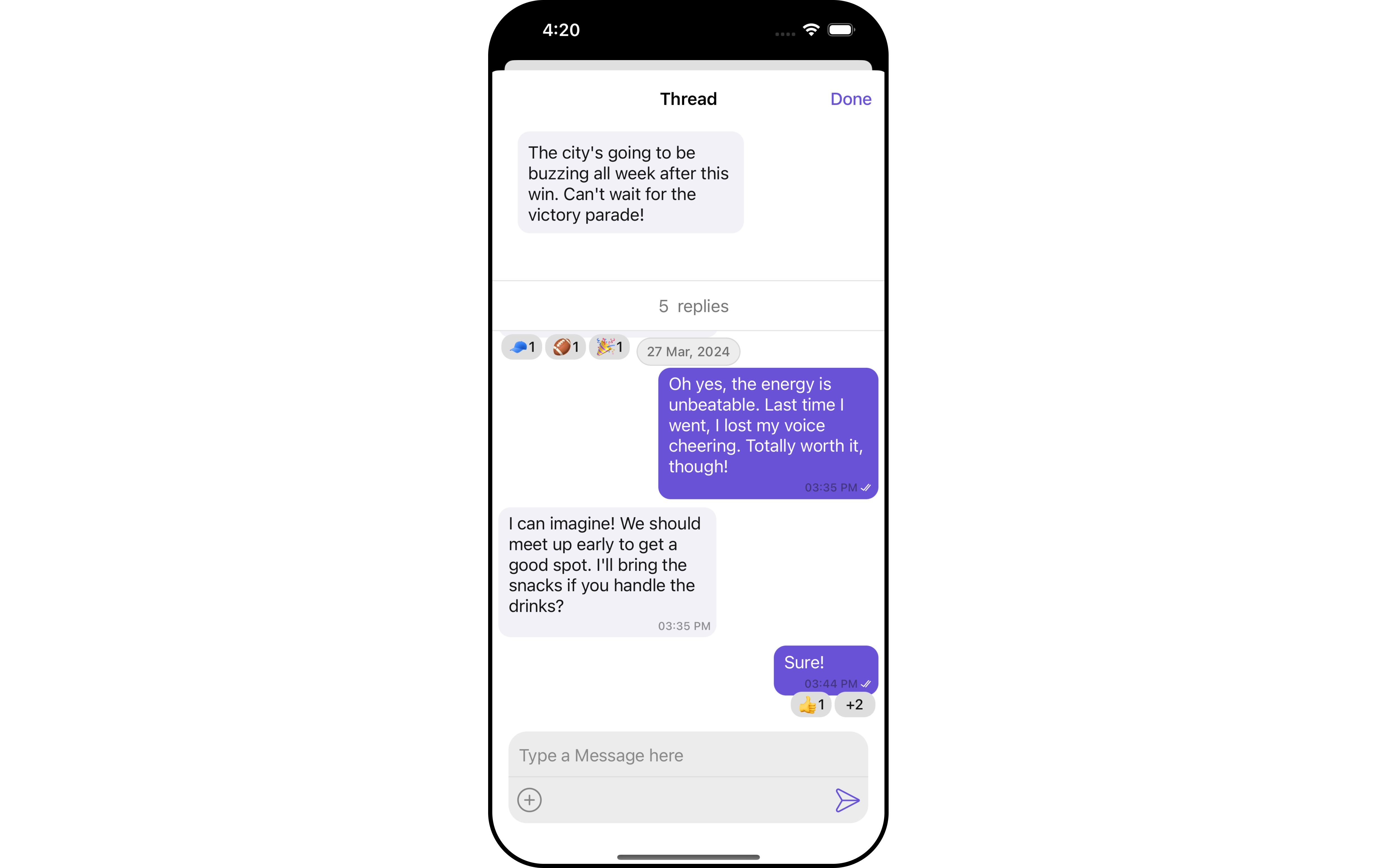
Usage
Integration
AsCometChatThreadedMessages is a view controller, you can launch it by adding the following code snippet.
- Swift
Ensure to pass and present
threadedMessage. If a navigation controller is already in use, utilize the pushViewController function instead of directly presenting the view controller.Actions
Actions dictate how a component functions. They are divided into two types: Predefined and User-defined. You can override either type, allowing you to tailor the behavior of the component to fit your specific needs. ThreadedMessages does not have its own actions. However, you can override the behavior of the ThreadedMessages component by using the actions of its Components, with the help of Configurations. Example In this example, we are overriding thesetOnThreadRepliesClick of the MessageList Component using MessageListConfiguration and applying it to ThreadedMessages.
- Swift
Filters
Filters allow you to customize the data displayed in a list within a Component. You can filter the list based on your specific criteria, allowing for a more customized. Filters can be applied using RequestBuilders of Chat SDK. ThreadedMessages does not have its own Filters. However, you can filter the messages list in ThreadedMessages Component using MessageListConfiguration. Example In this example, we are filtering messages and searching for messages that contain the keyword “payment”.- Swift
Events
Events are emitted by aComponent. By using event you can extend existing functionality. Being global events, they can be applied in Multiple Locations and are capable of being Added or Removed.
The MessageList Component does not emit any events of its own.
Customization
To fit your app’s design requirements, you can customize the appearance of the conversation component. We provide exposed methods that allow you to modify the experience and behavior according to your specific needs.Style
ThreadedMessagesStyle contains various properties which can be used to customize the UI of CometChatThreadedMessages.
- Swift
Advanced
For advanced-level customization, you can set custom views to the component. This lets you tailor each aspect of the component to fit your exact needs and application aesthetics. You can create and define your views, layouts, and UI elements and then incorporate those into the component.MessageBubbleView
By using.set(templates: allTempalte), You can set styling to message bubble view inside ThreadedMessage Component.
- Swift
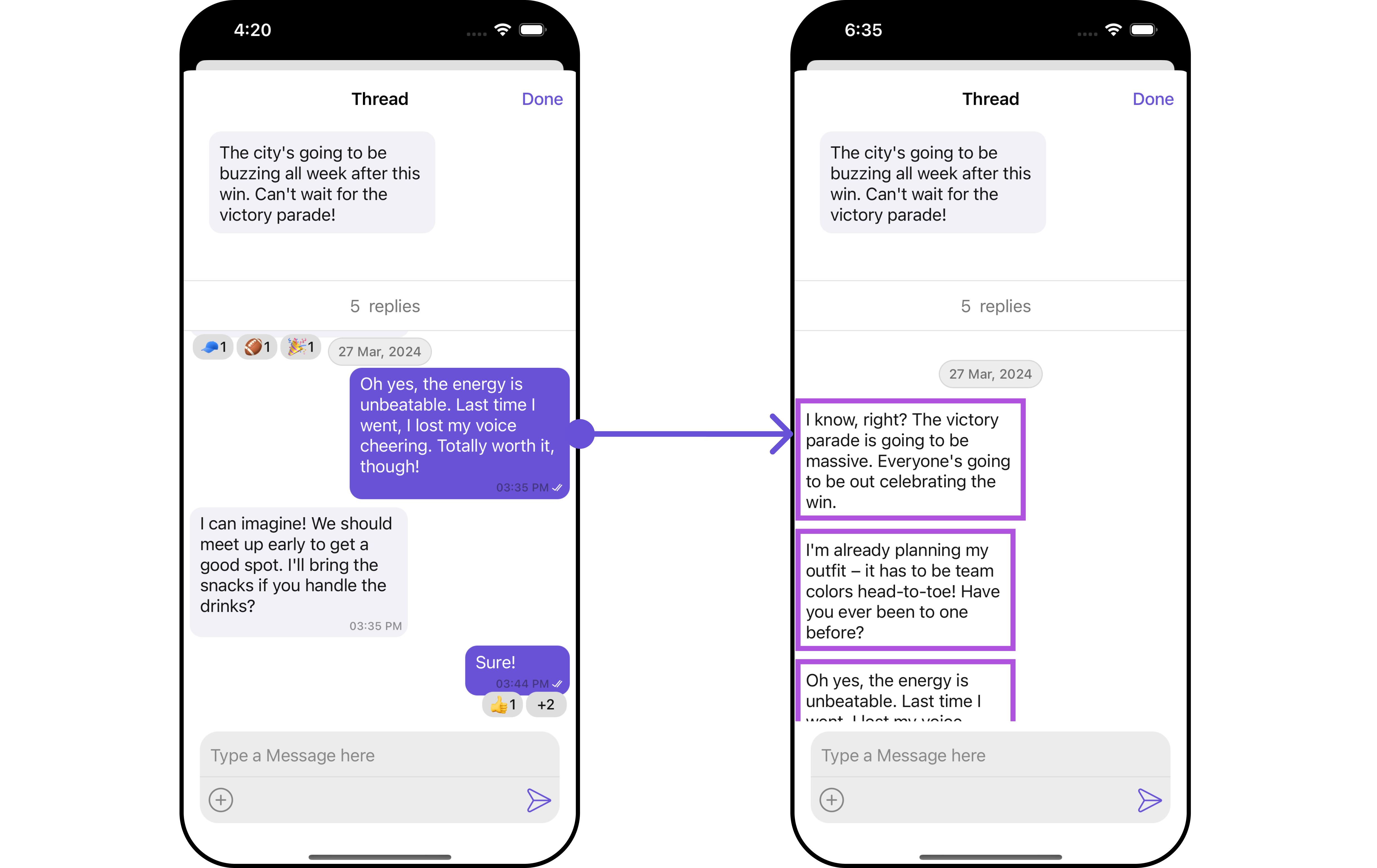
setOnThreadRepliesClick Action of MessageList Component and apply custom styles on it.
- Swift
MessageActionView
By utilizing thesetMessageActionView() method, you can assign custom actions to the parent message bubble view inside the ThreadedMessage Component.
- Swift
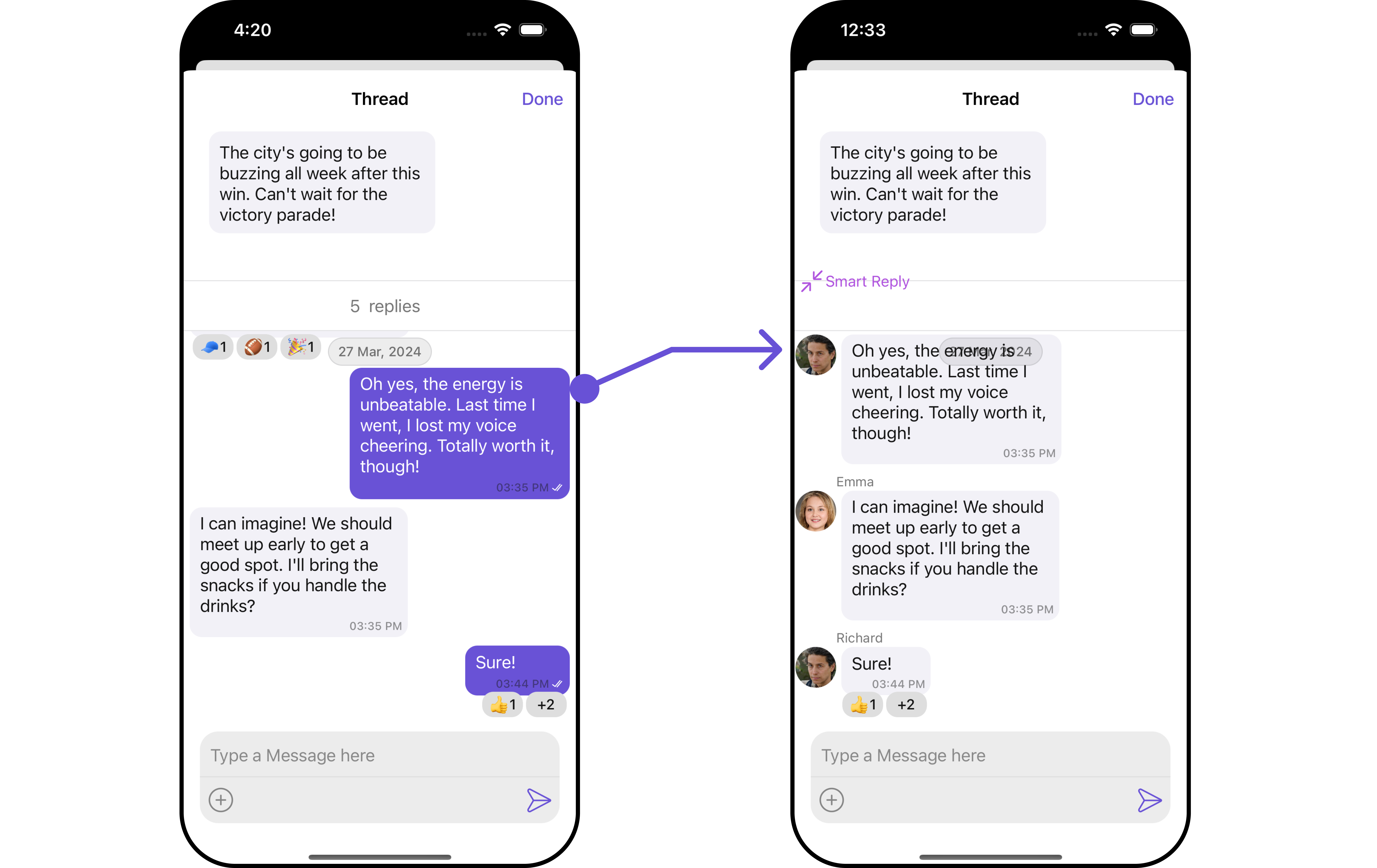
custom_action_view
- Swift
Configuration
Configurations offer the ability to customize the properties of each individual component within a Composite Component. The ThreadedMessages is a Composite Component, and it has a distinct set of configurations for each of its components as follows.MessageList
If you want to customize the properties of the MessageList Component inside ThreadedMessages Component, you need use theMessageListConfiguration object.
- Swift
MessageListConfiguration provides access to all the Action, Filters, Styles, Functionality, and Advanced properties of the MessageList component.
Please note that the Properties marked with the symbol are not accessible within the Configuration Object.Example
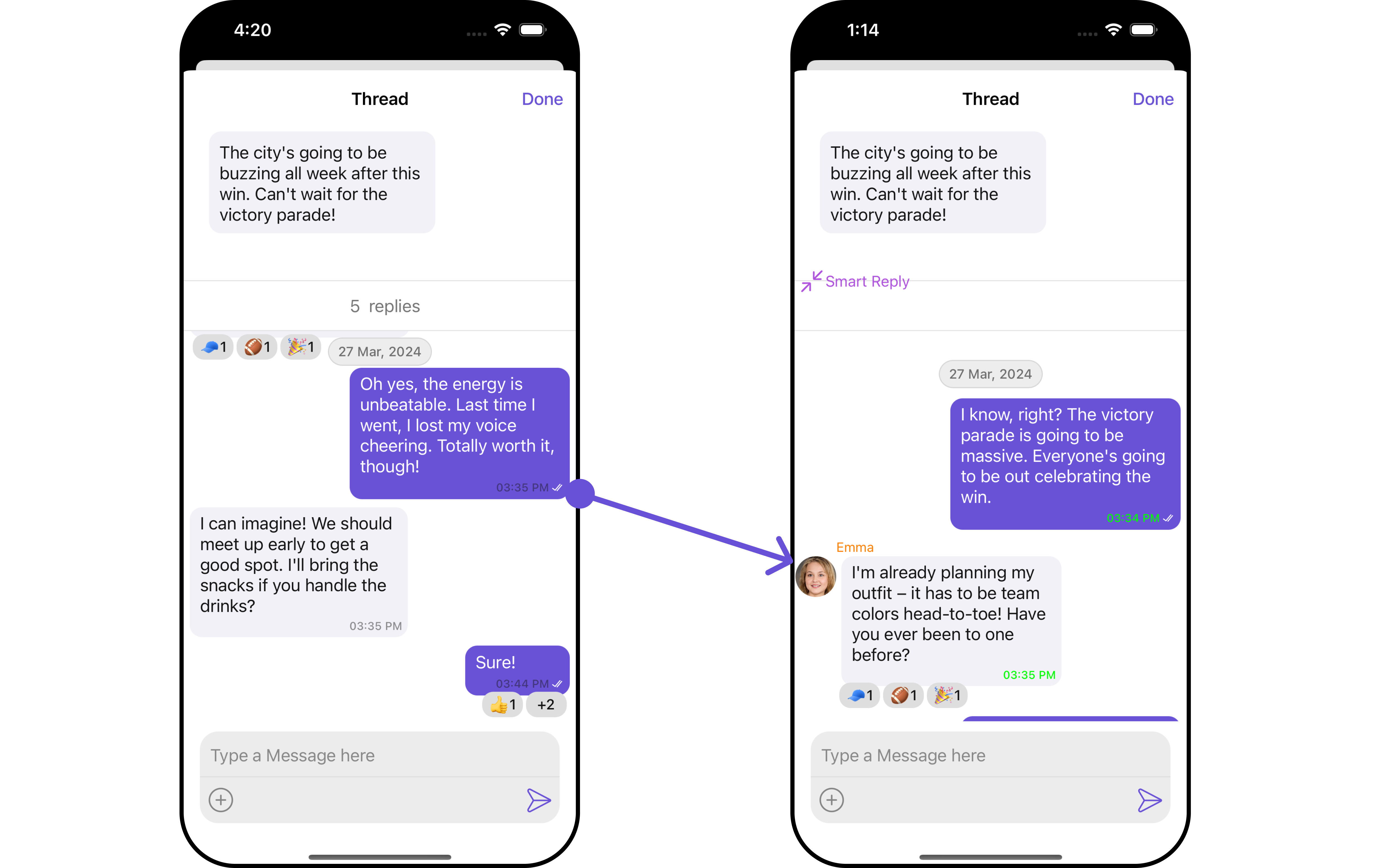
MessageListConfiguration.
- Swift
MessageComposer
If you want to customize the properties of the MessageComposer Component inside ThreadedMessages Component, you need use theMessageComposerConfiguration object.
- Swift
MessageComposerConfiguration provides access to all the Action, Filters, Styles, Functionality, and Advanced properties of the MessageComposer component.
Please note that the Properties marked with the symbol are not accessible within the Configuration Object.Example
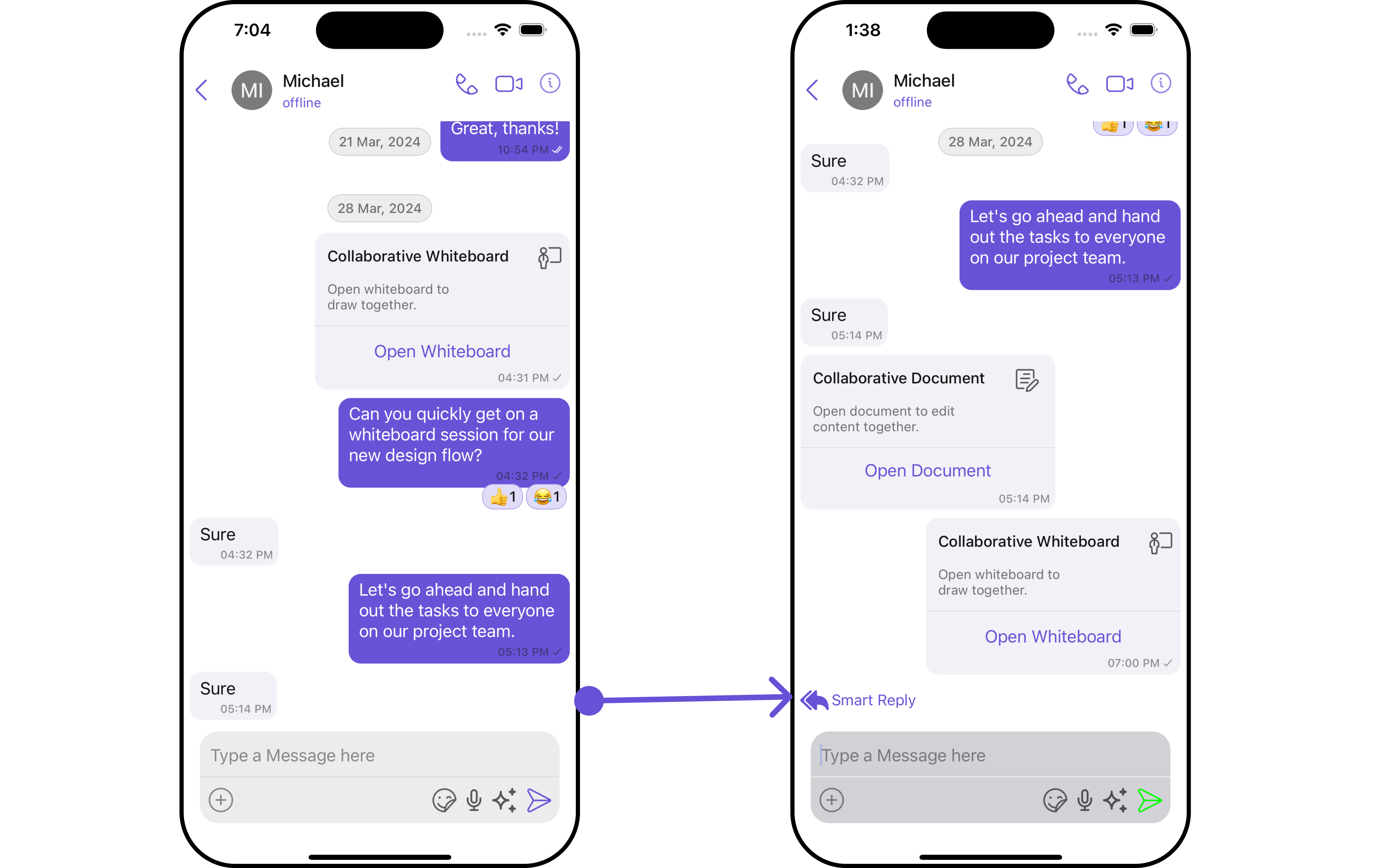
MessageComposerConfiguration.
- Swift